


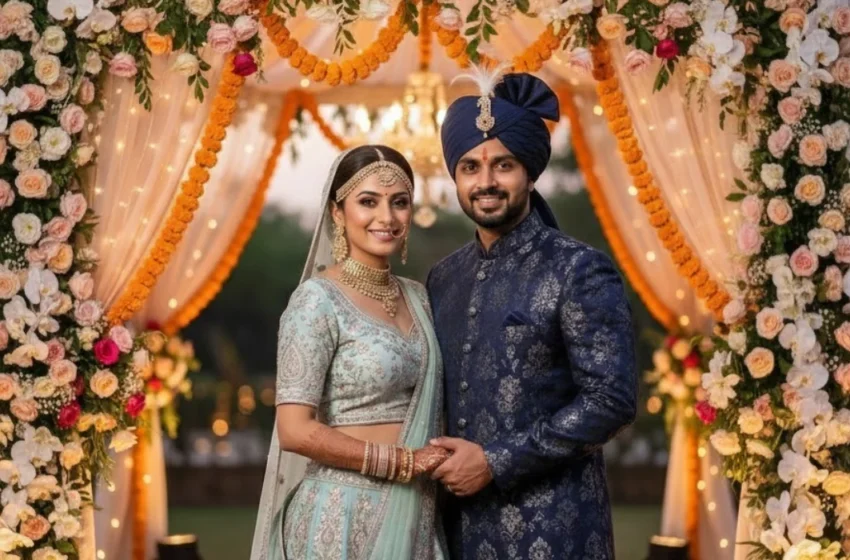
How to Create Stunning AI Wedding Photos Using Simple Prompts
Creating professional-looking wedding images is now easier than ever with AI. Whether you want cinematic portraits, varmala moments, or luxury couple photos, the right wedding photo prompt can instantly transform your pictures into beautiful wedding visuals. In this complete, beginner-friendly guide, you’ll learn how to use each wedding photo prompt to generate breathtaking Indian wedding images with realistic details, soft lighting, and vibrant decor. Every wedding prompt is designed to help you achieve premium-quality results without any technical skills. From elegant standing poses to close-up emotional portraits and ritual moments, each example helps you recreate real wedding photography styles. This guide also explains the exact steps you need to follow uploading your photo, applying a wedding prompt, selecting style options, and enhancing realism with blurred backgrounds or warm lighting. All prompts are crafted to maintain facial consistency and deliver high-resolution output. Whether you’re a photographer, bride or groom, designer, or social media creator, this AI workflow helps you instantly produce professional images for reels, banners, albums, and invites. No paid tools required everything can be done using free AI platforms. Start creating wedding visuals that look cinematic, emotional, and truly memorable.
Prompt
[Use reference faces from the uploaded couple photo…]
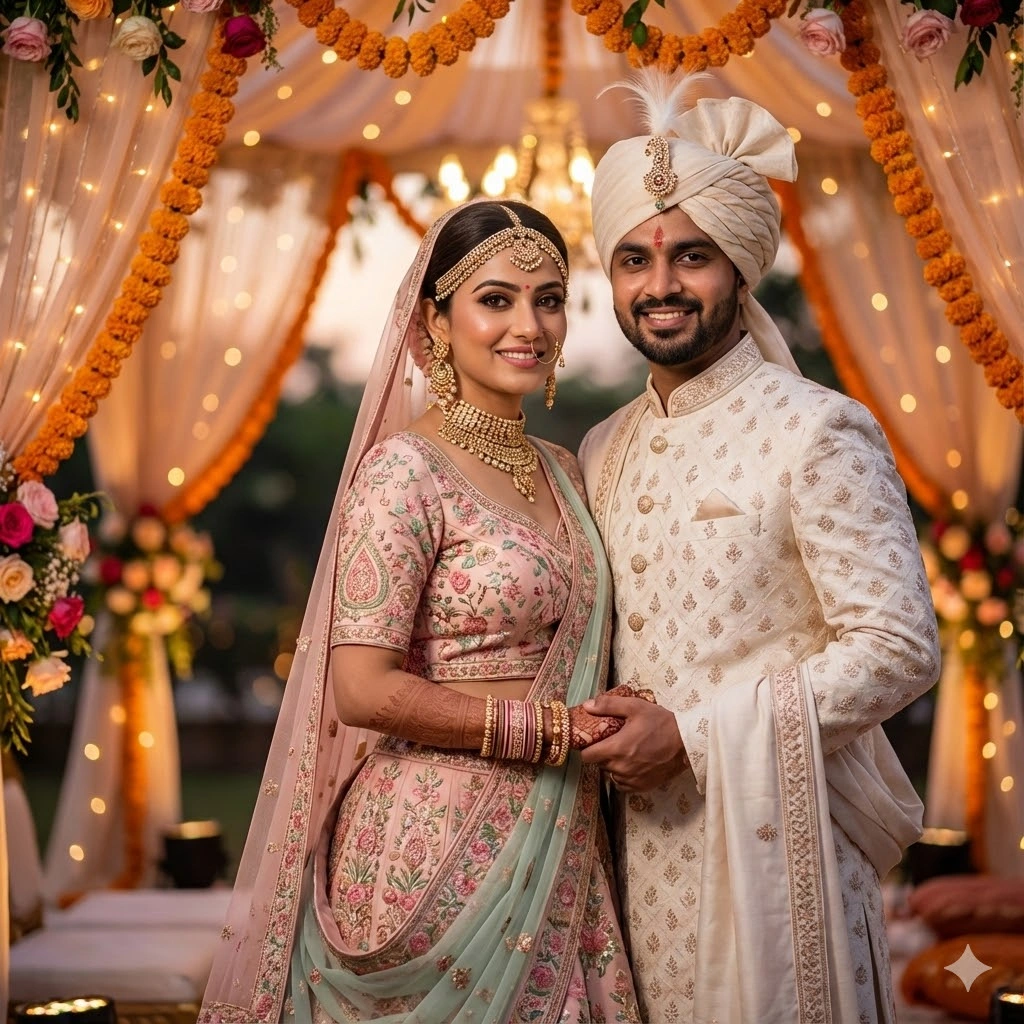
A high-resolution, cinematic Indian wedding portrait of a bride and groom standing closely and smiling warmly at the camera. The bride wears an elegant pastel-colored lehenga with intricate embroidery, heavy gold jewellery, a traditional maang-tikka, choker necklace, long earrings, bangles, and a soft bridal veil. The groom wears an off-white sherwani with detailed patterns and a matching turban decorated with a feather and brooch. They are holding hands gently, showing a natural emotional connection. Background features a beautifully decorated wedding mandap with vibrant floral arrangements and warm golden lighting, softly blurred for a premium depth-of-field effect. Capture a festive, joyful, romantic atmosphere with rich colors, soft glow, and perfect skin tones. make image Face same to same which i uploded
A high-resolution, cinematic Indian wedding portrait of a bride and groom standing closely and smiling warmly at the camera. The bride wears an elegant pastel-colored lehenga with intricate embroidery, heavy gold jewellery, a traditional maang-tikka, choker necklace, long earrings, bangles, and a soft bridal veil. The groom wears an off-white sherwani with detailed patterns and a matching turban decorated with a feather and brooch. They are holding hands gently, showing a natural emotional connection. Background features a beautifully decorated wedding mandap with vibrant floral arrangements and warm golden lighting, softly blurred for a premium depth-of-field effect. Capture a festive, joyful, romantic atmosphere with rich colors, soft glow, and perfect skin tones. make image Face same to same which i uploded
Side-by-Side Elegant Walk Pose AI Wedding Photo
Prompt
[Use reference faces from the uploaded couple photo…]
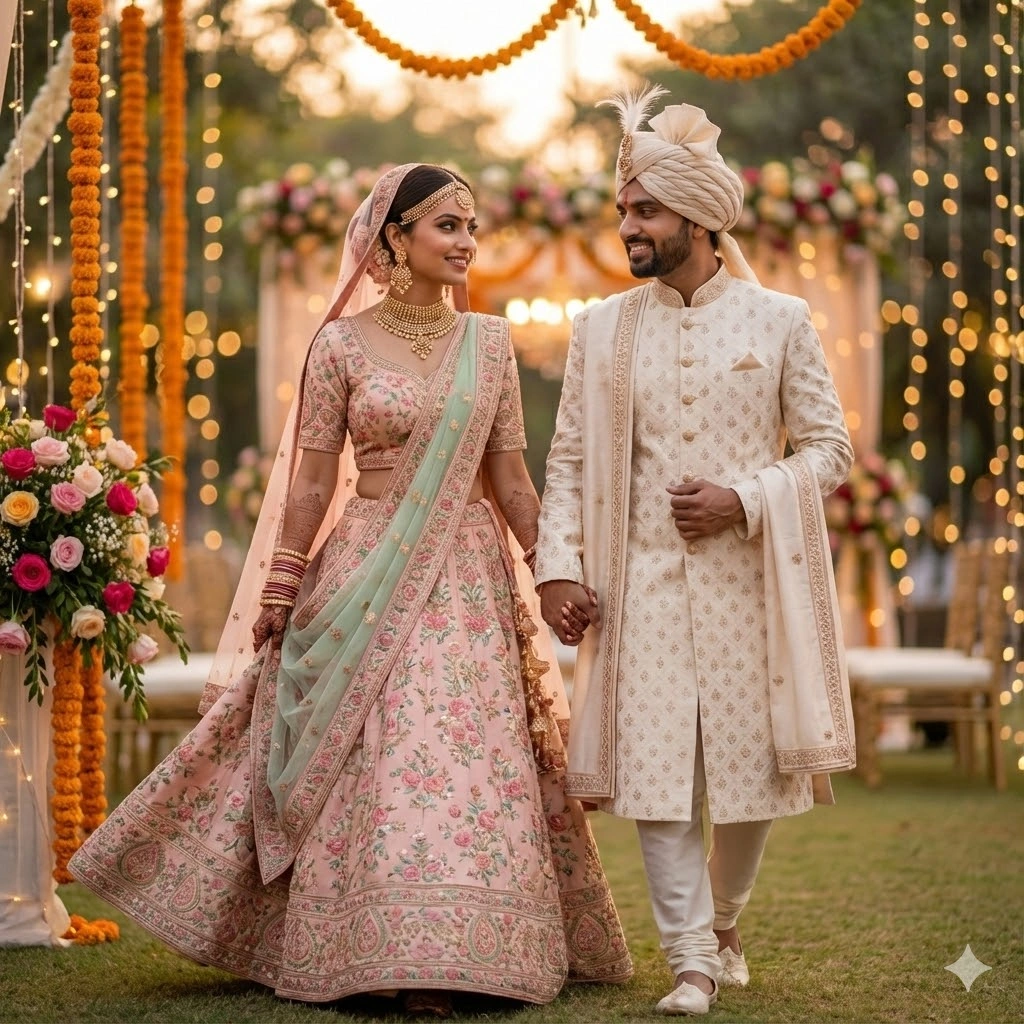
A high-resolution editorial-style shot of the bride and groom walking side-by-side holding hands, smiling gently. Bride’s lehenga flows naturally as she walks, groom in sherwani looking confident. Warm wedding décor in the background, softly blurred, golden bokeh lights. Soft cinematic lighting. make image Face same to same which i uploded
A high-resolution editorial-style shot of the bride and groom walking side-by-side holding hands, smiling gently. Bride’s lehenga flows naturally as she walks, groom in sherwani looking confident. Warm wedding décor in the background, softly blurred, golden bokeh lights. Soft cinematic lighting. make image Face same to same which i uploded
Seated Royal Portrait Pose
Prompt
[Use reference faces from the uploaded couple photo…]
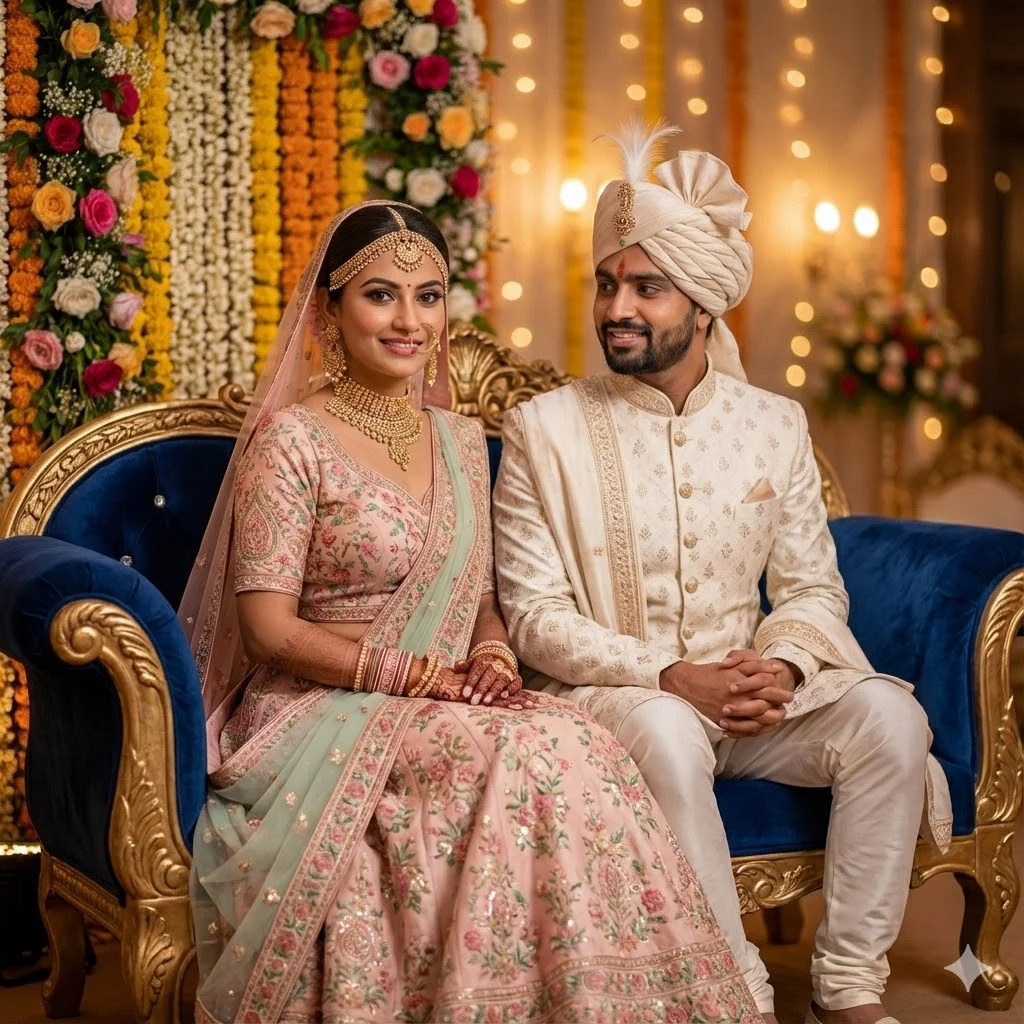
A luxurious seated portrait of the bride and groom on a royal sofa. Bride sits elegantly with hands on her lap, groom sits slightly angled towards her with a calm smile. Traditional floral decor behind them, warm glow, shallow depth of field. Make image Face same to same which i uploded
A luxurious seated portrait of the bride and groom on a royal sofa. Bride sits elegantly with hands on her lap, groom sits slightly angled towards her with a calm smile. Traditional floral decor behind them, warm glow, shallow depth of field. Make image Face same to same which i uploded
Close-Up Headshot Pose
Prompt
[Use reference faces from the uploaded couple photo…]
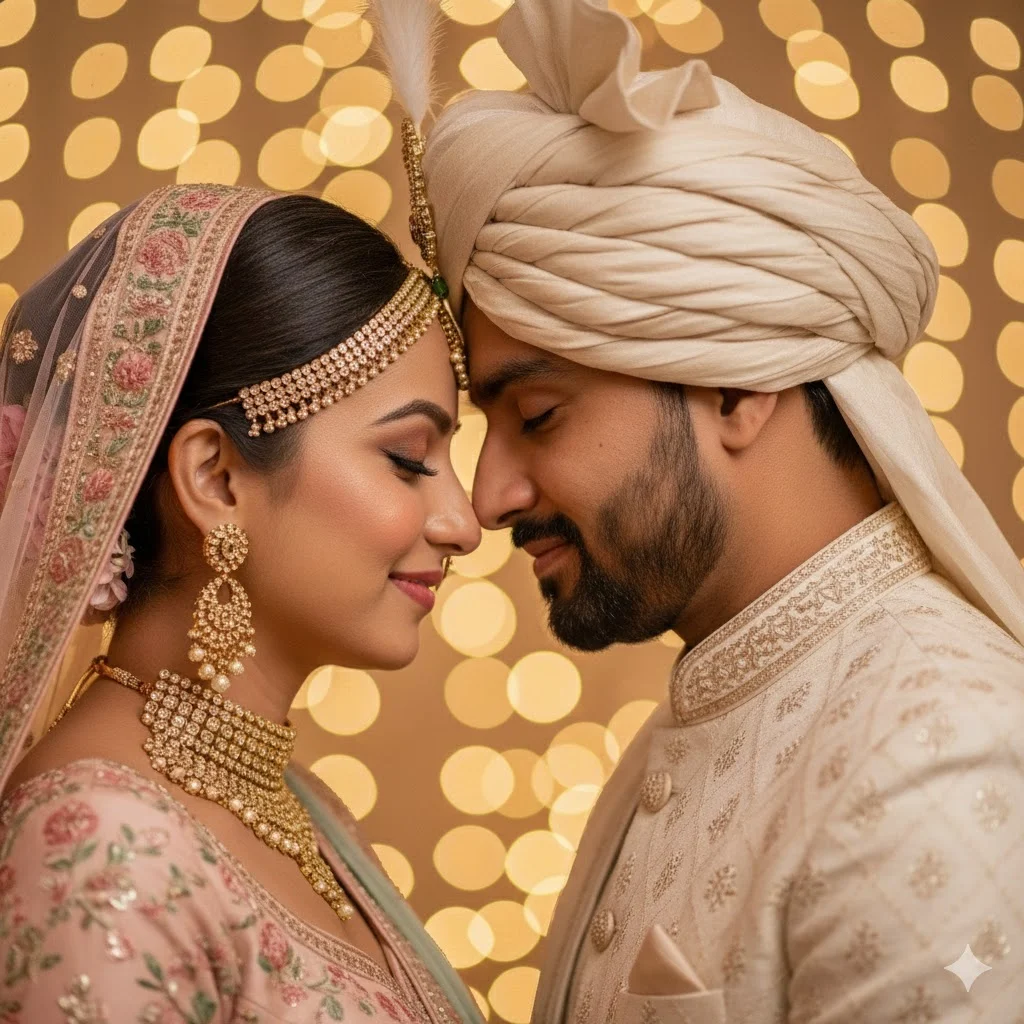
A tight close-up portrait of the couple standing close, forehead-to-forehead, smiling softly. Bridal jewellery sparkles, groom’s turban details clear. Background fully blurred with soft golden circles of light (bokeh). Ultra-sharp face details. Make image Face same to same which i uploded
A tight close-up portrait of the couple standing close, forehead-to-forehead, smiling softly. Bridal jewellery sparkles, groom’s turban details clear. Background fully blurred with soft golden circles of light (bokeh). Ultra-sharp face details. Make image Face same to same which i uploded
Dancing Couple Pose
Prompt
[Use reference faces from the uploaded couple photo…]
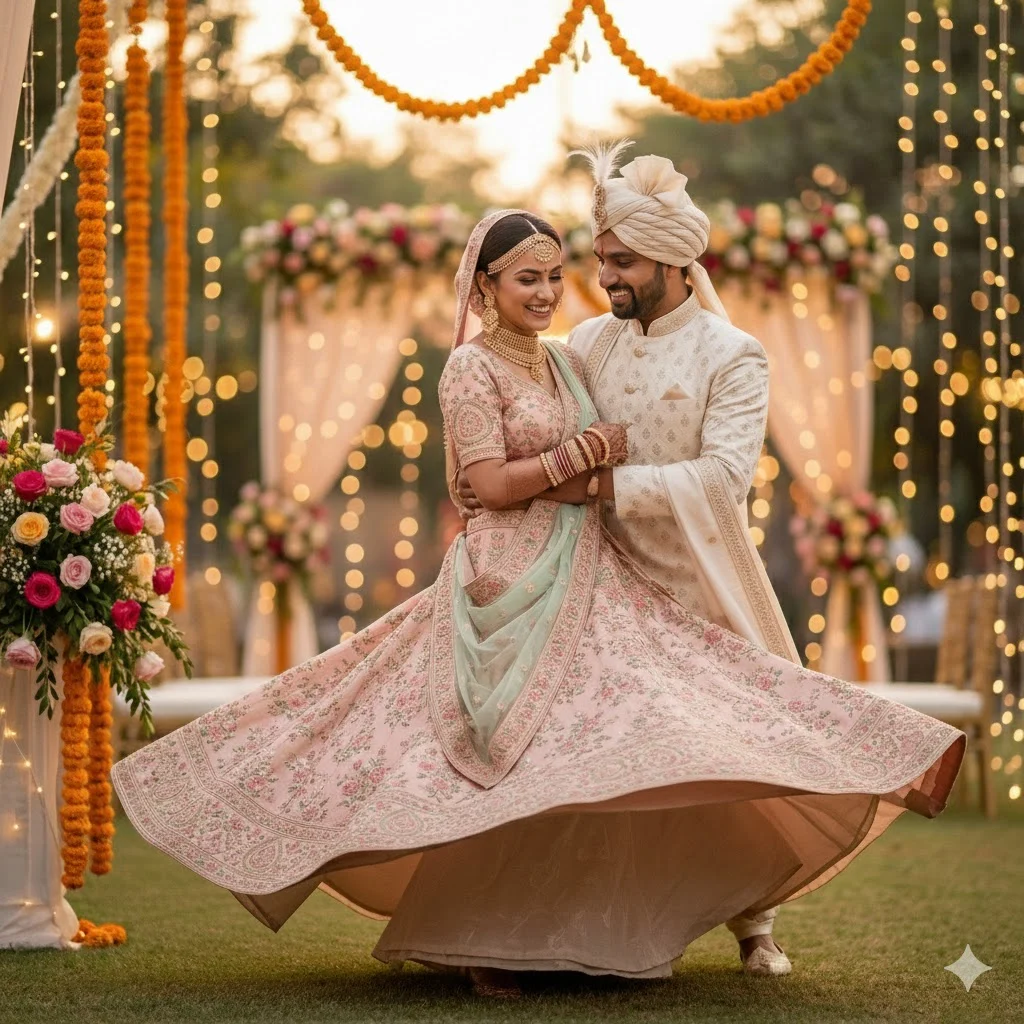
A joyful candid moment of the bride and groom dancing together. Groom gently holding bride’s waist, bride spinning lightly with her lehenga flare. Vibrant wedding lights in the background, warm festive mood, cinematic style. Make image Face same to same which i uploded
A joyful candid moment of the bride and groom dancing together. Groom gently holding bride’s waist, bride spinning lightly with her lehenga flare. Vibrant wedding lights in the background, warm festive mood, cinematic style. Make image Face same to same which i uploded
Holding Garland – Traditional Ritual Pose
Prompt
[Use reference faces from the uploaded couple photo…]
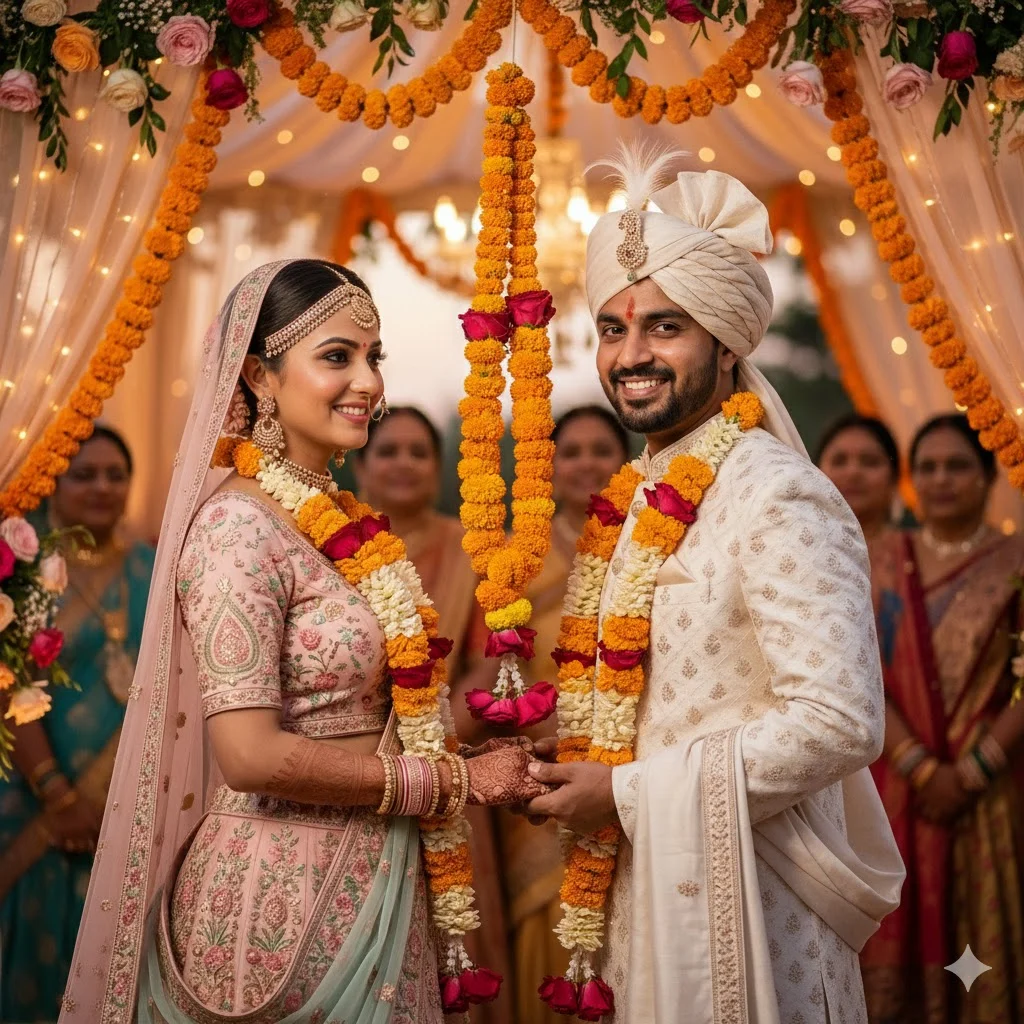
A high-resolution shot of the bride and groom exchanging garlands (varmala pose). Both smiling brightly, garlands mid-air. Background decorated with marigold strings, soft ambient lighting, colorful festive atmosphere. Make image Face same to same which i uploded
A high-resolution shot of the bride and groom exchanging garlands (varmala pose). Both smiling brightly, garlands mid-air. Background decorated with marigold strings, soft ambient lighting, colorful festive atmosphere. Make image Face same to same which i uploded
How to Make Your Wedding Images With AI Prompt
Step 1: Upload Your Photo
Upload a clear image of the bride and groom to your preferred AI tool like(Gemini / Chatgpt / Midjourney). Choose a well-lit picture where faces are visible. This helps the AI keep the same identity in all your generated wedding photos.
Step 2: Select “Face Reference.”
Enable face-reference or “use my image for face consistency.” This ensures the AI copies the exact facial features from your uploaded photo while changing outfits, poses, and backgrounds accurately.
Step 3: Paste the Prompt
Copy one of the wedding prompts provided above and paste it into the AI text box. Mention details like lighting, pose, background blur, and decorations for the most realistic wedding-style results.
Step 4: Choose High Quality Mode
Select settings like 4K, high-resolution, cinematic lighting, or sharp details. This ensures the wedding image looks professional, vibrant, and album-ready with clean textures and natural skin tones.
Step 5: Generate & Download
Click “Generate” and wait for the AI to render your wedding photo. Review the output, adjust prompt lines if needed, and download your final wedding image in full resolution for sharing or printing.