


Google Gemini Couple Photo Prompts: Create Beautiful Couple Photos Using Just One Image
In this article, you’ll find some really good prompts for creating couple photos with Google Gemini. Making AI couple photos is super easy now, and the best part is that it’s completely free. Even if you and your partner have separate photos, Gemini can still create a picture of both of you together. Just tap the + icon, upload both photos, and paste any of the prompts shared in this article.
We’ve also added some nice pre-wedding shoot prompts to help you make beautiful photos with your partner. Simply copy the prompt, upload your pictures, and Gemini will generate lovely poses for you.
AI Prompts for Couple Photos (Gemini Couples Romantic Photo Prompts)
Many people say that their face changes when they edit couple photos with AI. If this happens to you, just add this line to your prompt: Keep their faces exactly the same. This helps Gemini create photos with your real faces without any unwanted changes.
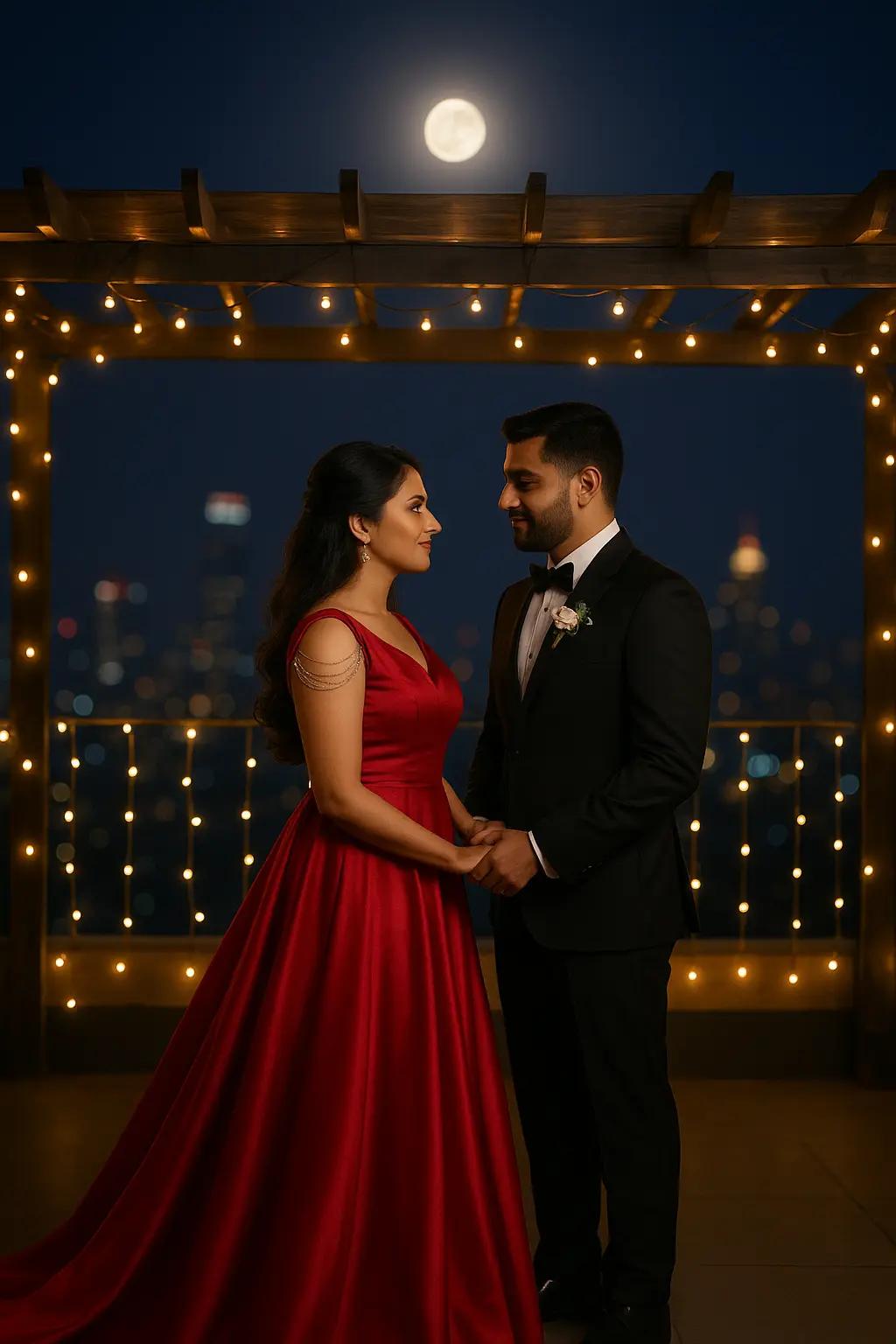
Prompt
A romantic pre-wedding photoshoot on a rooftop at night. A couple stands close, holding hands and looking at each other with soft smiles. The woman is in a flowing red gown with elegant shoulder detailing. The man wears a black tuxedo with a bow tie and a small boutonnière. Warm fairy lights hang across a wooden pergola, giving the scene a cozy glow. A full moon shines above, and a city skyline with soft bokeh lights fills the background. Cinematic lighting, shallow depth of field, rich colors, crisp details. Create the image in HD at 2000px × 2600px.
How do I create a photo in Google Gemini (including couple photos)?
Go to Gemini :Google gemini
To create a photo in Gemini, type the prompt you want. or copy our prompt and pest
If you want a couple photo, upload both of your photos first.
In the prompt, always add this line: “Keep the faces exactly the same.”
This helps Gemini create a natural couple photo without changing your look.
After you submit the prompt, wait a few seconds. Gemini will create your image, and you can download it once it appears.